
Abrams, a Deadlock hero
October 2026 Site Overhaul · October 12, 2026

More Tools. A Clearer Game Plan.

Deadlock Item Builder has a fresh look and more ways to prepare for your next match. Read the enemy team, find your hero’s role, and compare counter buys without losing your place.

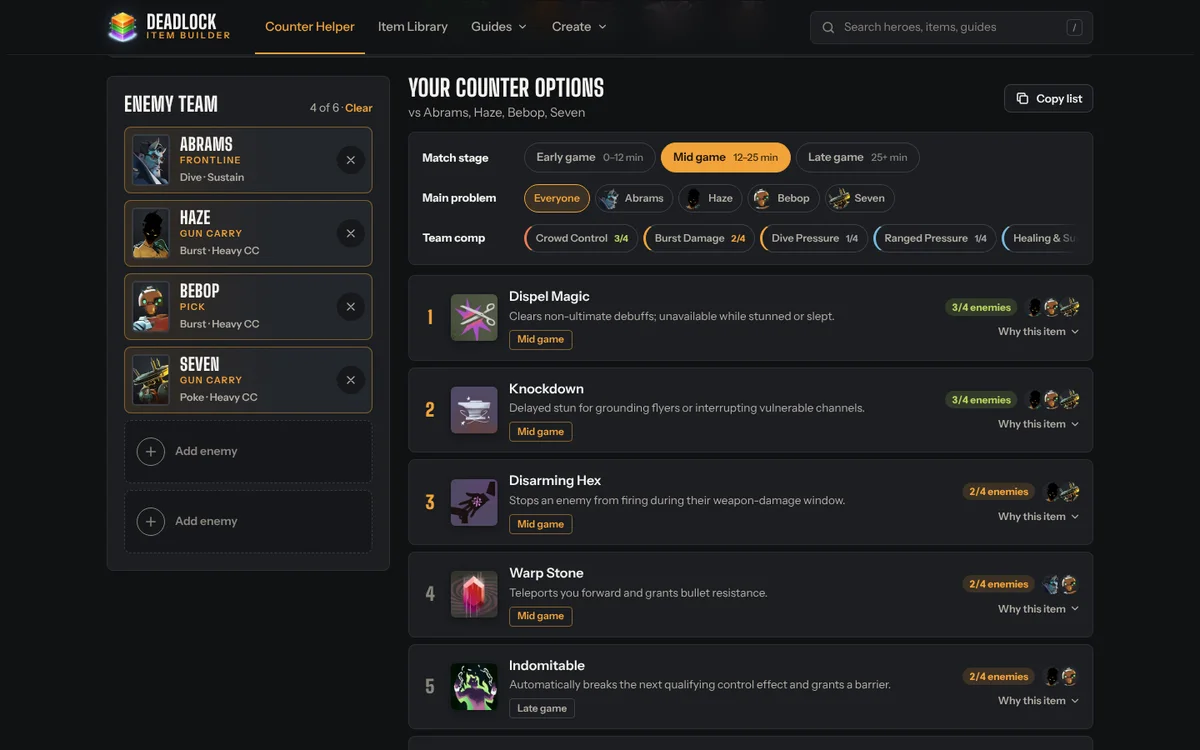
deadlockitembuilder.comScreenshot of the redesigned Counter Item Helper pageOpen the page
Counter Item Helper

One Enemy Team. Useful Shared Answers.

Select multiple opponents to see their shared threats and the top counter items recommended across those matchups. Everything sits together in one panel, from selected heroes to the full counter categories.

  • Early Game, Mid Game and Late Game buttons help prioritize your next purchase.
  • Choose a priority hero when one opponent is causing the biggest problem.
  • “Applies to” counts and portraits show which enemies an item covers.
  • Share your lineup with its stage and selected focus.
Open the Counter Helper
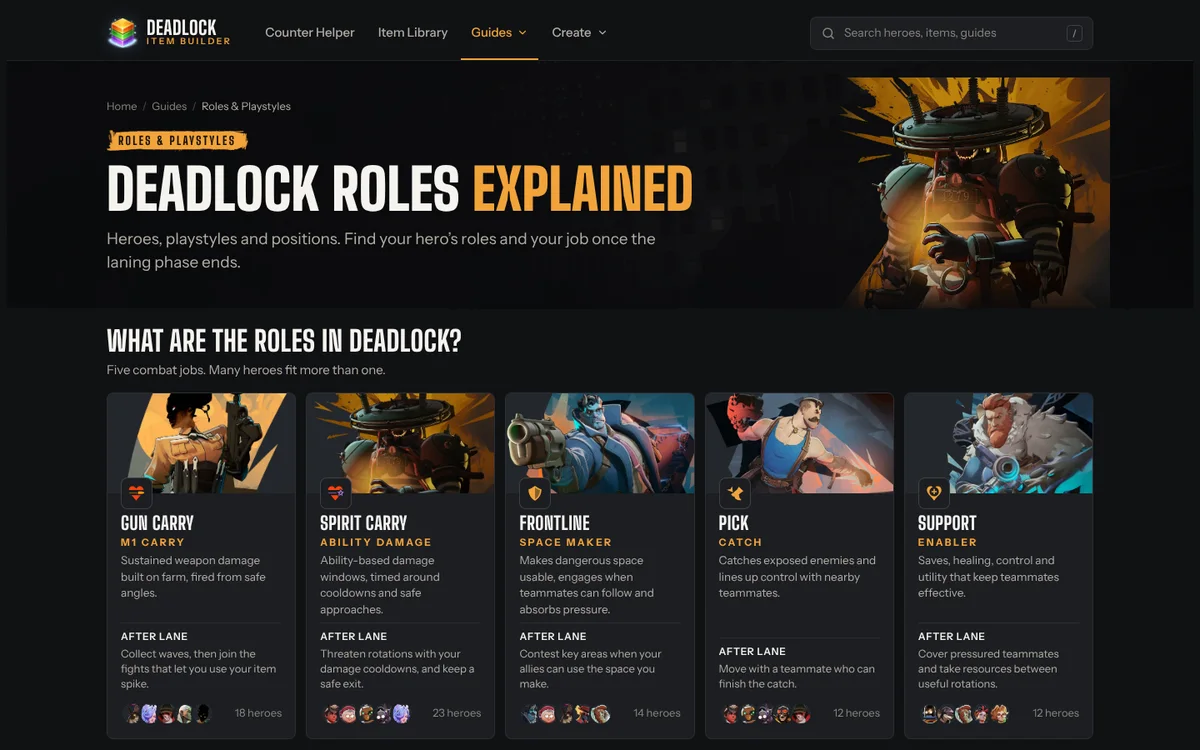
deadlockitembuilder.comScreenshot of the redesigned Roles & Playstyles pageOpen the page
Roles & Playstyles

Find Your Place in the Fight.

Learn what your hero contributes after lane. The new roles hub brings together gun carry, spirit carry, frontline, pick and support, with practical guides for each playstyle.

  • Search the hero roles chart by hero or role.
  • Explore multiple roles for heroes whose jobs change with their build.
  • Learn farm priorities, rotations and teamfight positioning.
  • Find role and playstyle summaries on hero counter pages.
Explore roles & playstyles
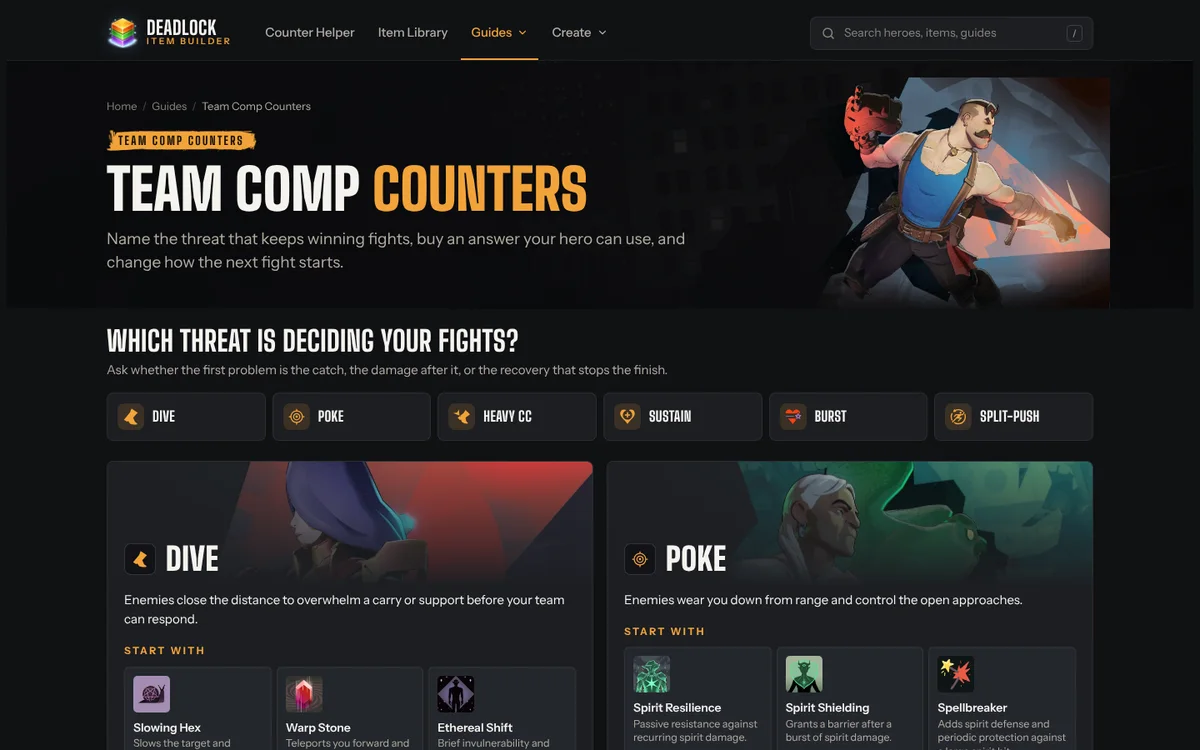
deadlockitembuilder.comScreenshot of the redesigned Team Comp Counters pageOpen the page
Team Comp Counters

Counter Their Game Plan.

A lineup can threaten more than one thing at once. Six new composition guides help you recognize the pattern and prepare with item choices, positioning and a teamfight plan.

  • Dive, poke, lockdown, sustain, burst and split-push guides.
  • Counter items first, with advice on applying them in a fight.
  • Hero examples, common mistakes and answers to practical questions.
See team comp counters
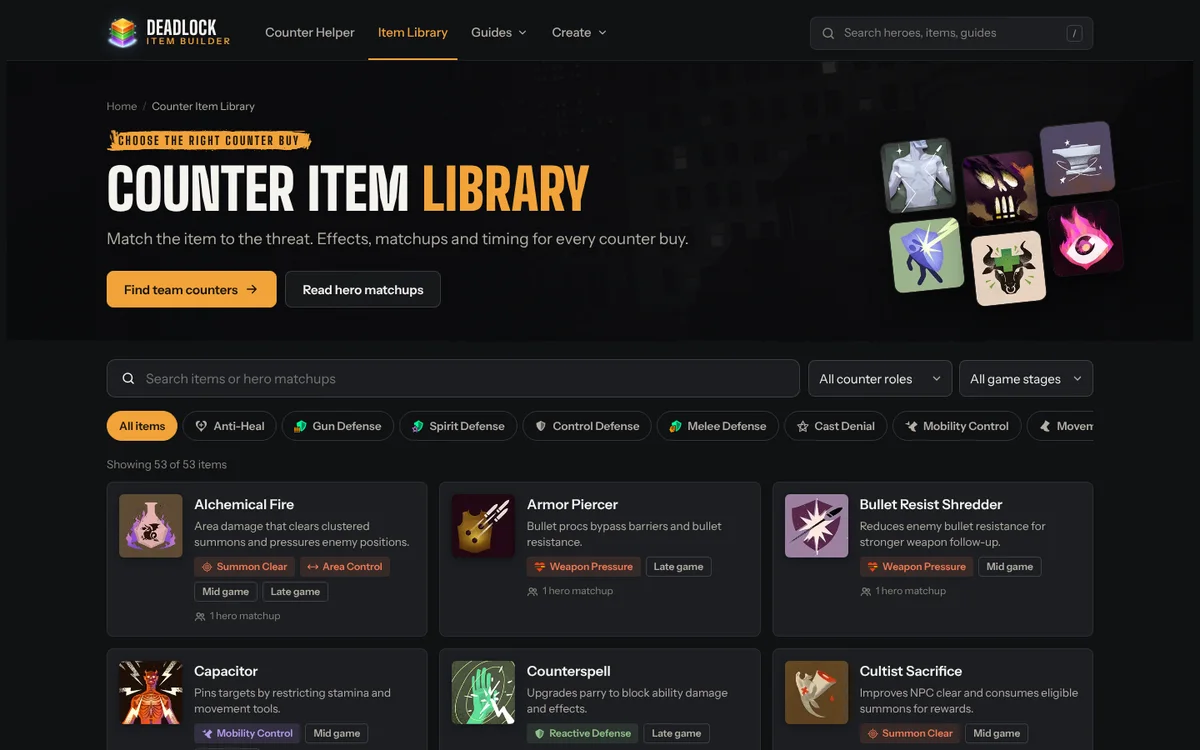
deadlockitembuilder.comScreenshot of the redesigned Counter Item Library pageOpen the page
Counter Item Library

Know What You Buy. Know When It Helps.

Compare counter items by the problem they solve, the matchups they fit and their typical purchase stage. The refreshed library and guide pages make it easier to move from a quick recommendation to the reasoning behind it.

  • Search by item or hero, then filter by counter role and game stage.
  • Clearer item descriptions, matchup links and upgrade information.
  • More item comparison, counterplay and laning guides.
Browse the item library

The Full Changelog

Changes introduced across the recent site updates, collected in one place.

Counter Item Helper

  • Added a combined team panel for multiple selected heroes.
  • Added shared threats, a top counter-item shortlist, game-stage selection and priority-hero focus.
  • Moved purchase-stage tags beneath coverage counts.
  • Updated portrait selection and share-link state restoration.
  • Kept the detailed solo matchup view for single-hero selection.

Roles & Team Comps

  • Added the searchable hero roles chart and five role guides.
  • Added role and playstyle summaries to hero counter pages.
  • Added six team composition counter guides.

Hero & Item Content

  • Expanded hero FAQs and practical matchup guidance.
  • Added full counter guides for Rat King, Baba and Solomon, with placeholders for unreleased heroes.
  • Expanded item explanations, timing tags and upgrade information.
  • Added guidance on channeled ultimates, silence and item stacking.

Creative Builders

  • Refreshed custom item-card styling and stat icons.
  • Added searchable upgrade item selection and updated upgrade icons.
  • Moved the item-card watermark to the bottom center.
  • Improved the builder instructions and mobile preview layout.

Design & Navigation

  • Refreshed the homepage and main guide headers with portraits, item artwork and gold accents.
  • Grouped navigation under Guides and Create; organized the footer to match.
  • Added a dismissible announcement banner.
  • Improved mobile menus, preview spacing and selected-hero updates.

Search & Sharing

  • Updated page descriptions and internal links for the expanded tools and guides.
  • Added hero portrait descriptions, primary-image metadata and image sitemap entries.
  • Kept solo and team sharing, including stage and priority selections.
Thank you

To the 10,000+ players who made this happen

Deadlock Item Builder started as a simple counter list: pick a hero, see a few items. More than ten thousand of you have used it since to plan counters, learn matchups and design your own items, and every visit, share and suggestion shaped this update.

Thank you for using the site, telling friends about it and sending feedback. We’ll keep it free and keep improving it alongside the game. See you in the Cursed Apple.

— The Deadlock Item Builder team

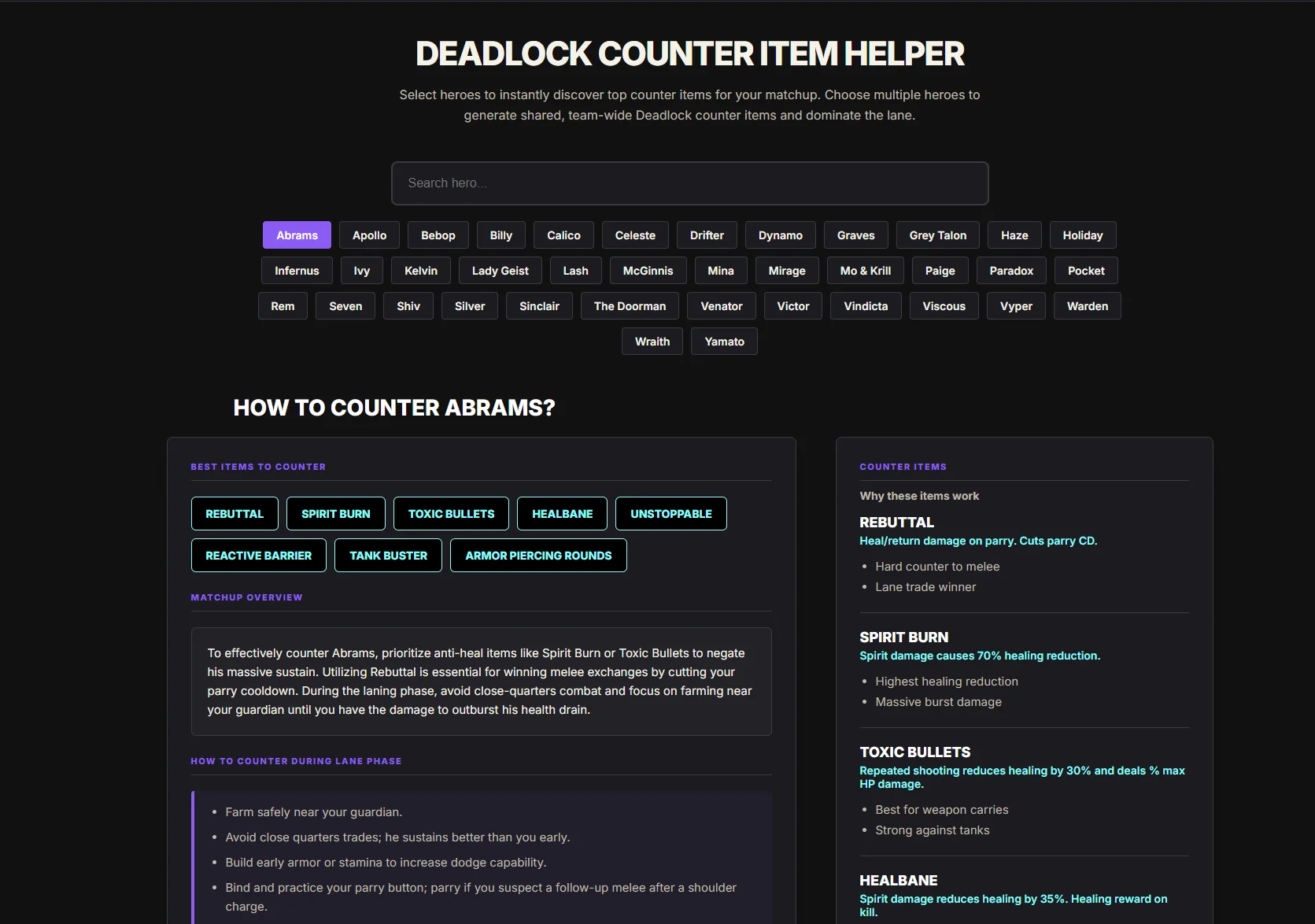
Where it startedThe original Deadlock Item Builder counter helper, with a purple hero list and item buttons
The original counter helper
Your Matchup. Your Role. Your Next Move.

Take the New Tools into Your Next Match.